
Firmware Update (Version 1.70)
June 25, 2025
V1.70 (Firmware Release Notes):
- Voltage compensation now supports negative values, -5V/5V
- Added Xiaomi proprietary protocol
- Added three protocols: PE1.0 / PE2.0 / SCP*
- Fixed known bugs
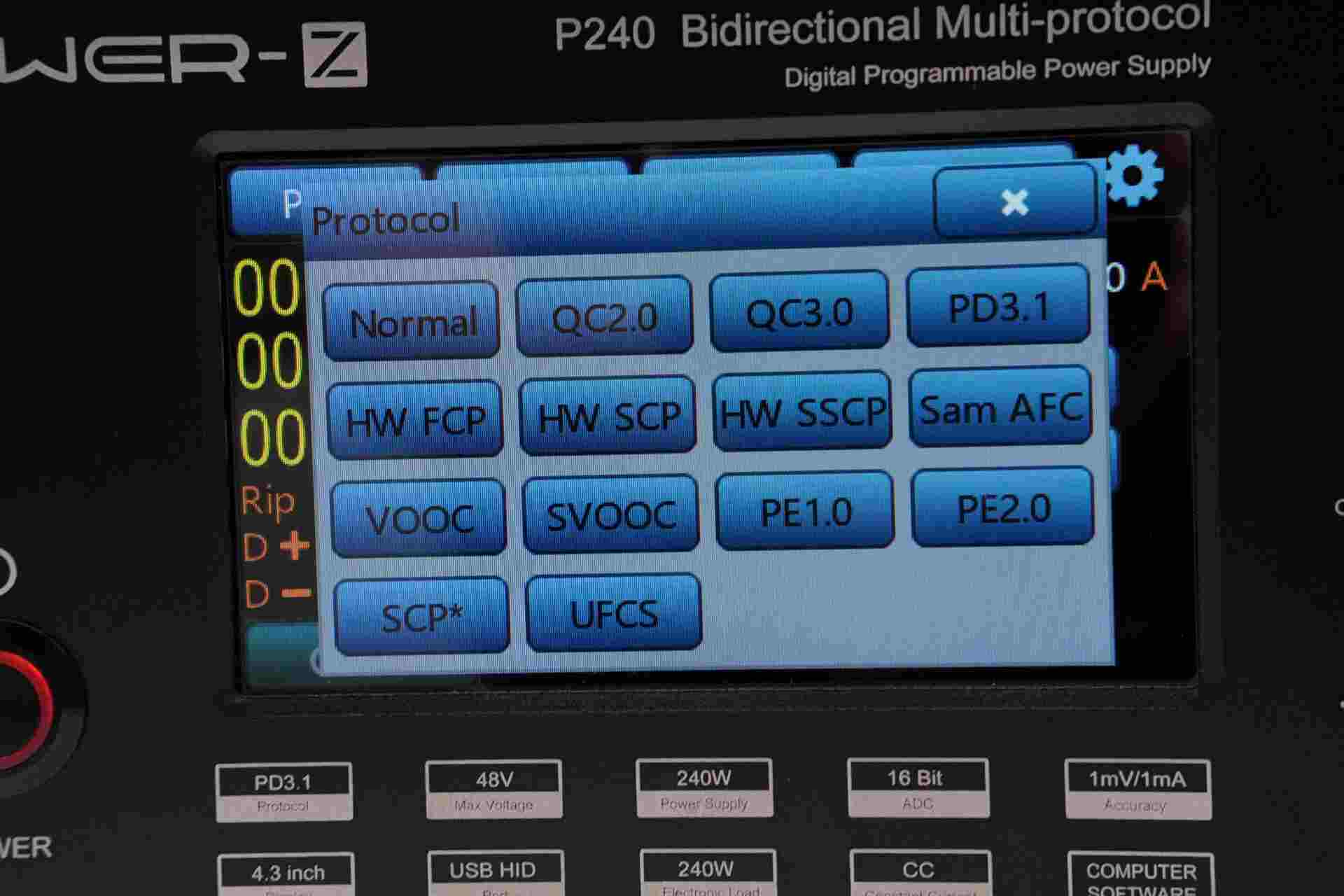
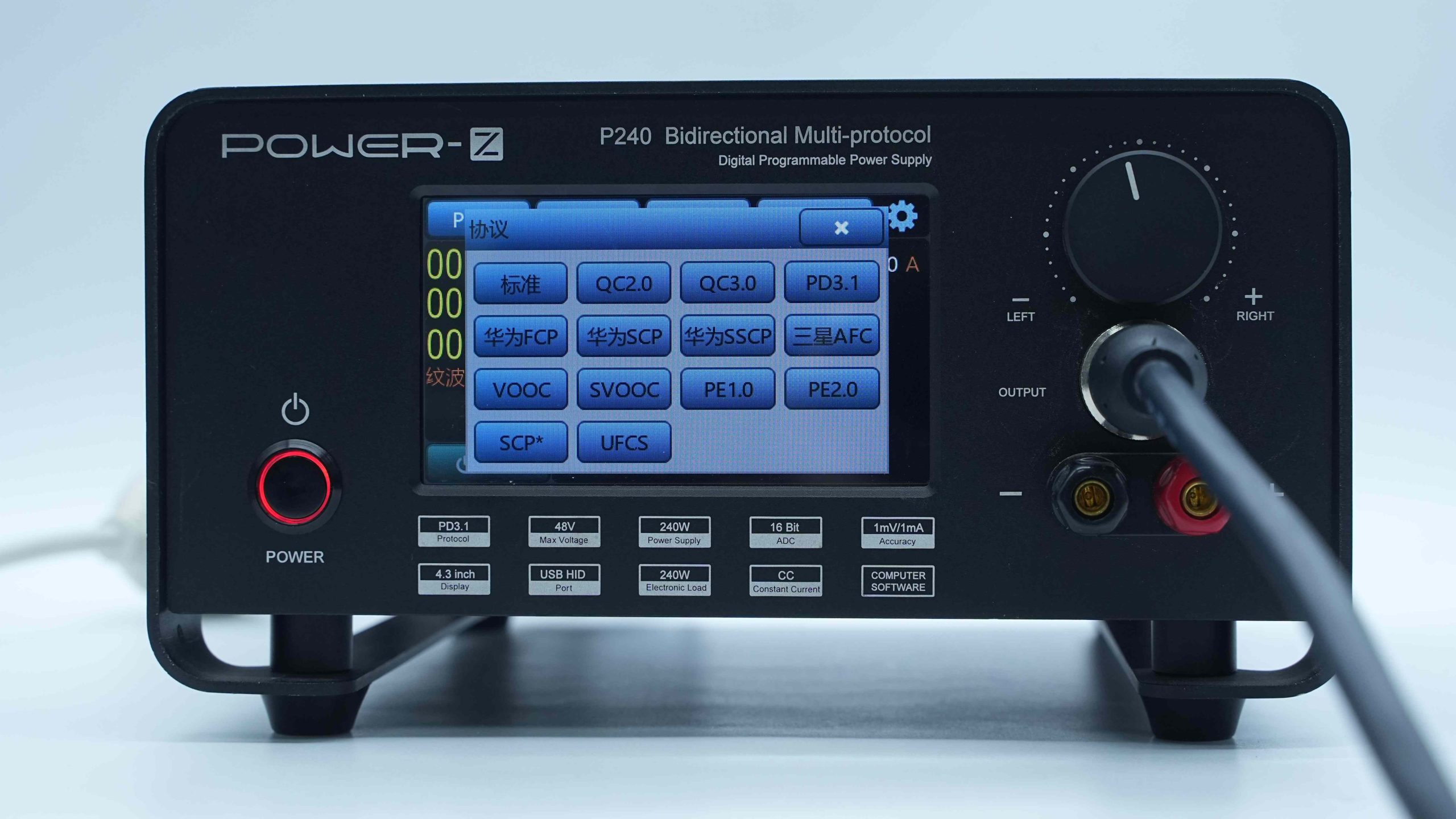
The newly added three protocols PE1.0 / PE2.0 / SCP* are shown in the images.
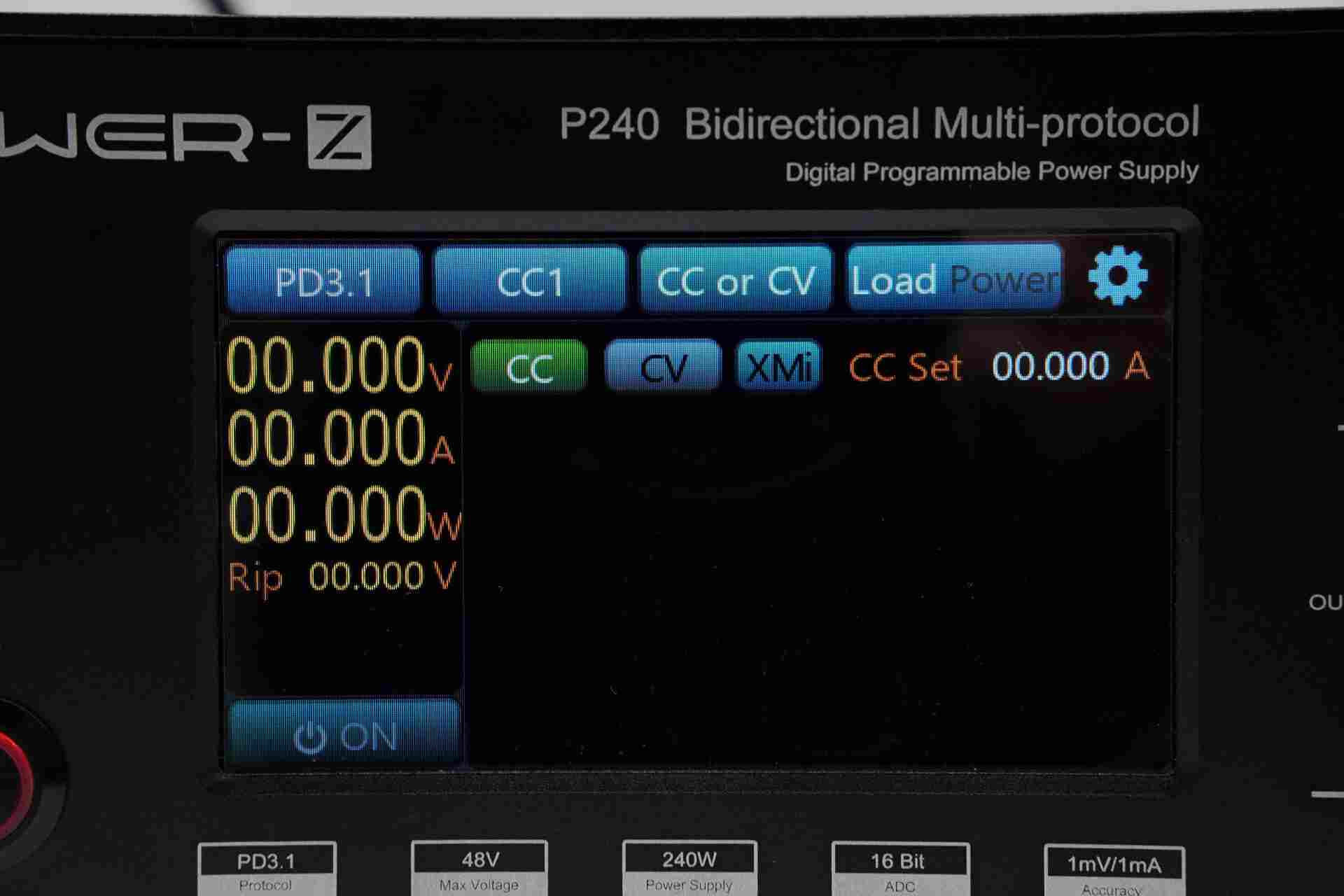
After entering PD3.1 protocol mode, the newly added Xiaomi protocol (XMi) can be seen.
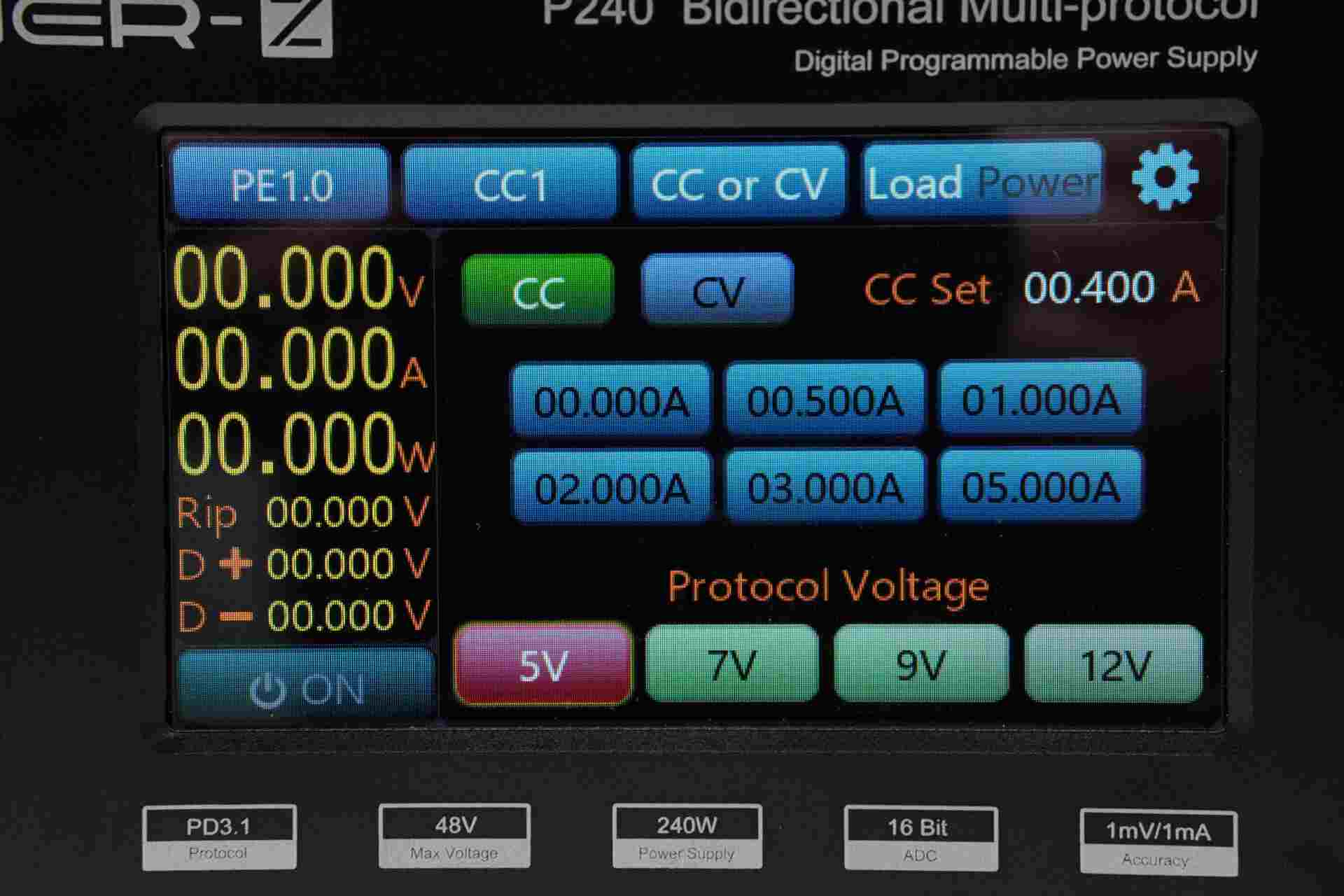
The expanded view of the PE1.0 protocol is shown in the image.
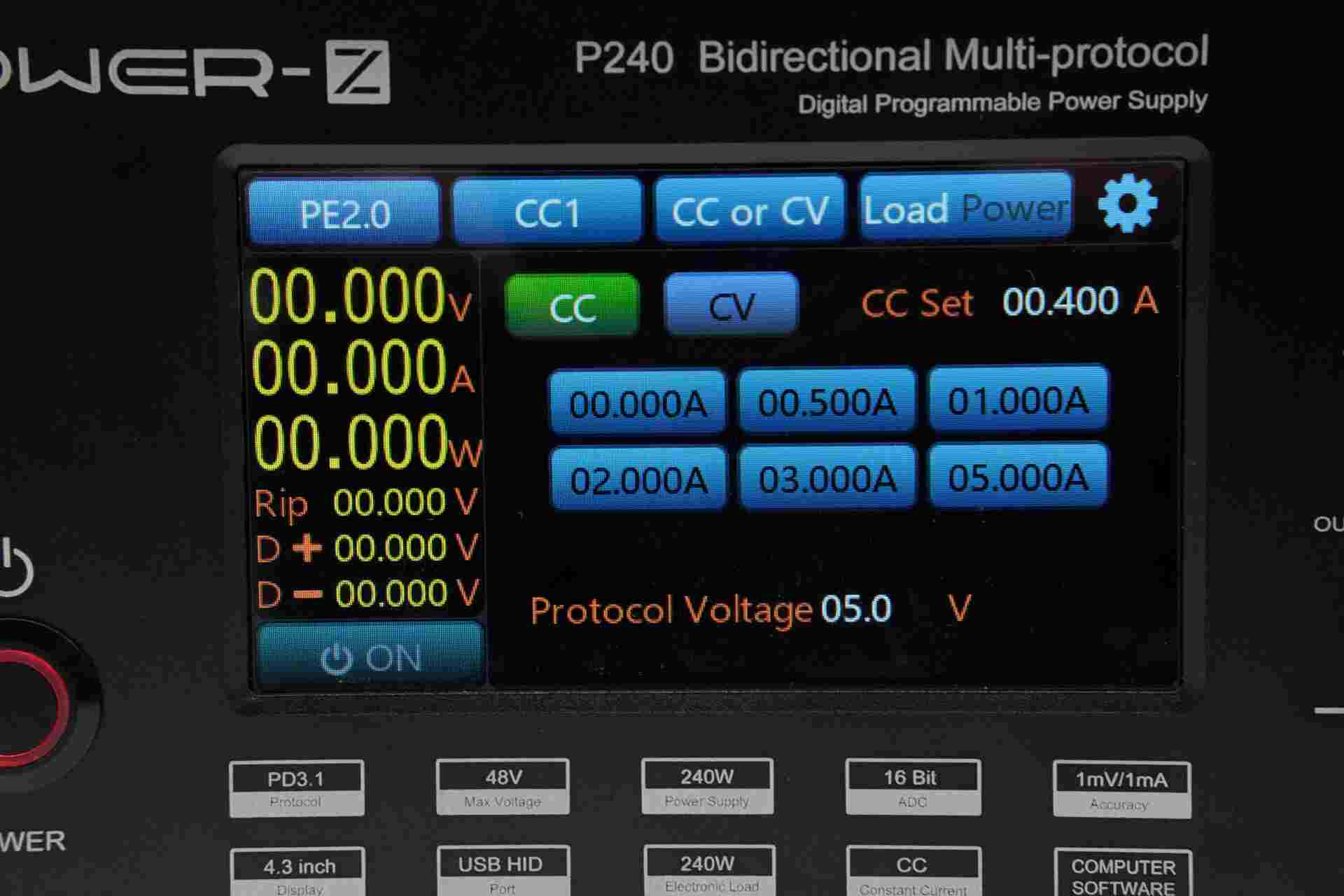
The expanded view of the PE2.0 protocol is shown in the image.
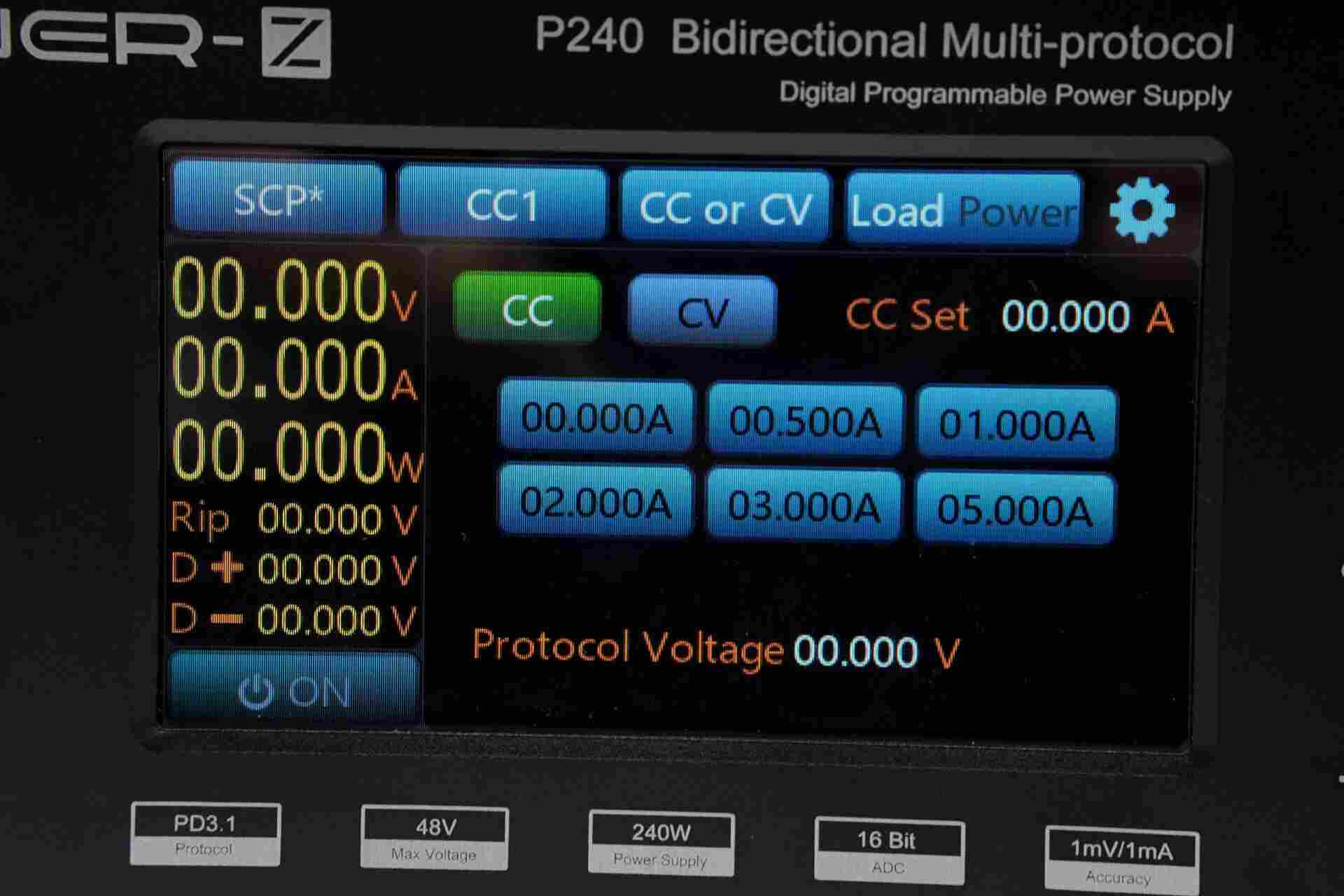
The expanded view of the SCP* protocol is shown in the image.
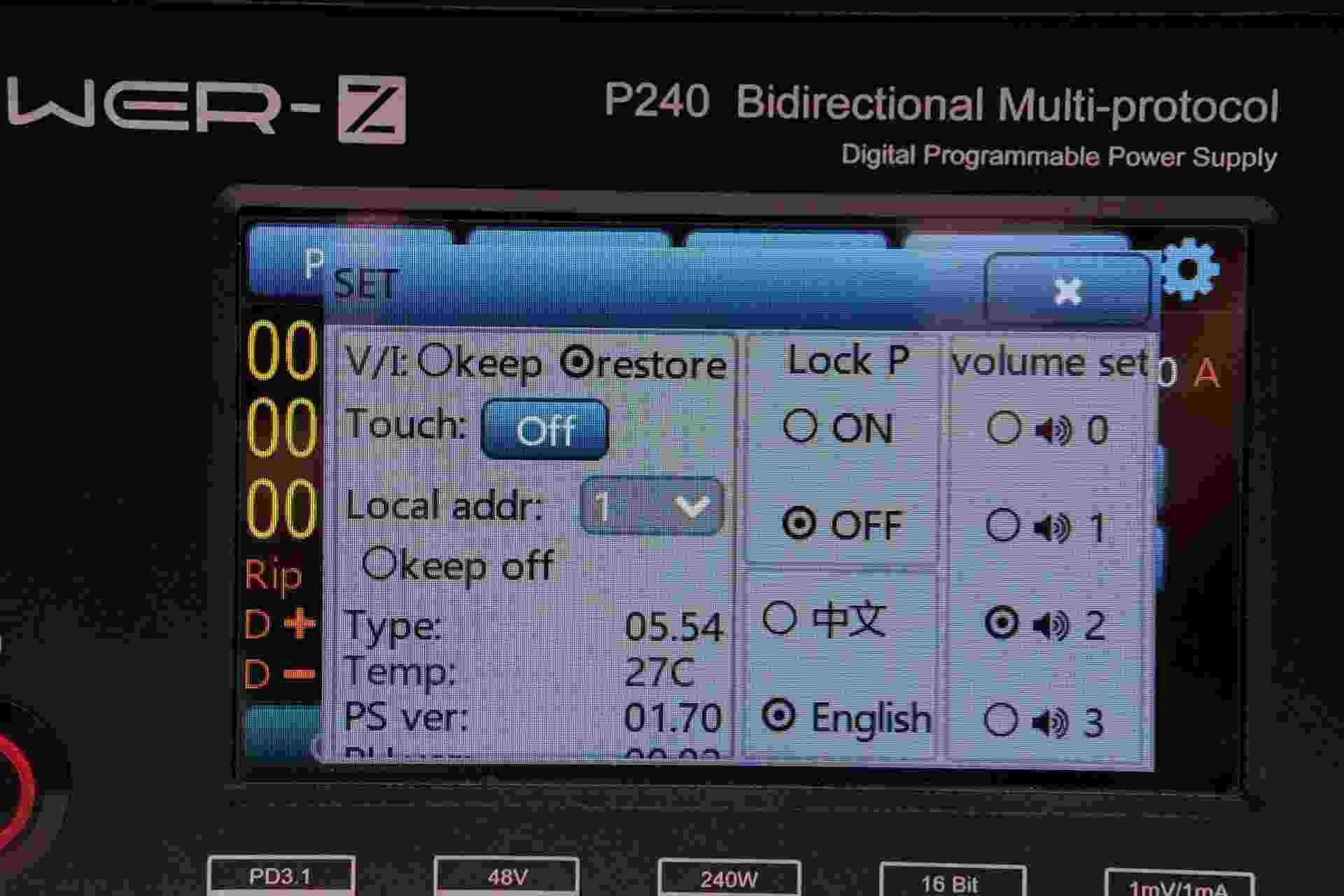
The new version's settings interface is optimized as shown, with a new "keep off" feature added. After the update, the display shows PS ver 01.70.
Update Guide
- Install the software on your computer; (contact info@chargerlab.com via email to obtain)

- Locate the HID interface on the back of the POWER-Z P240.
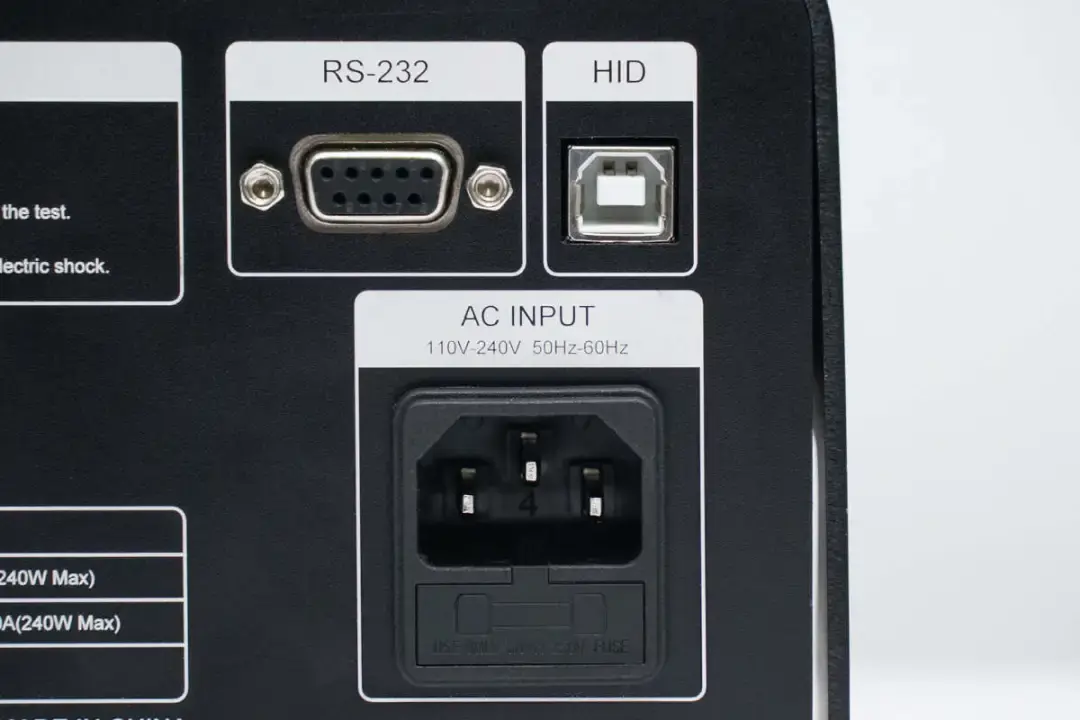
- Connect the device to the computer via the HID interface.
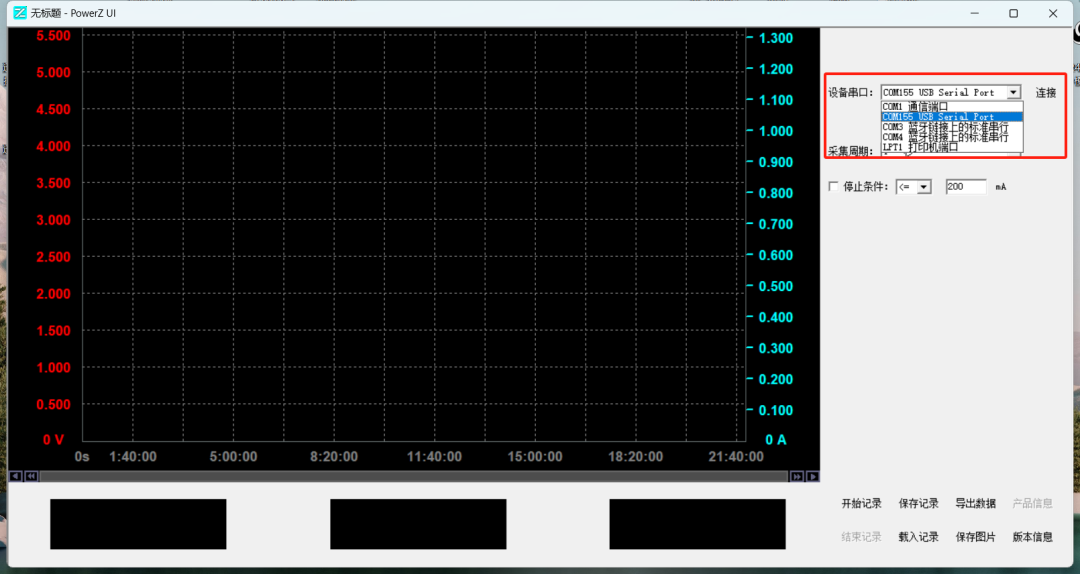
- Once connected, open the software on your computer, select the correct connection port, then click the connect button.
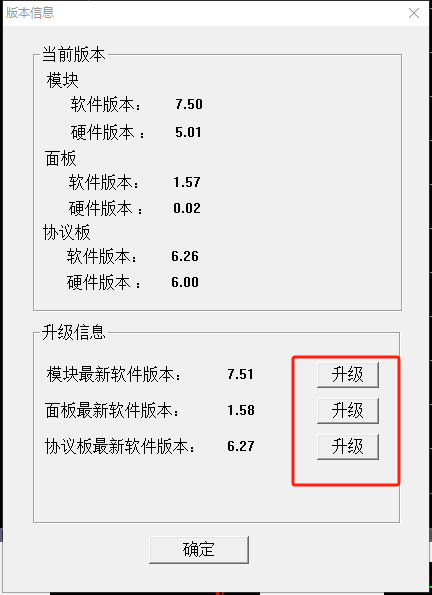
Click the version information at the bottom right of the software to enter the upgrade page. As shown in the images, update the software versions for the module, panel, and protocol to the latest versions.